
Ang Li Lin
/Animation
Sem 7 Week 5 - Proxy Modeling
This week, we will start using Maya to do 3D proxy environment modeling.
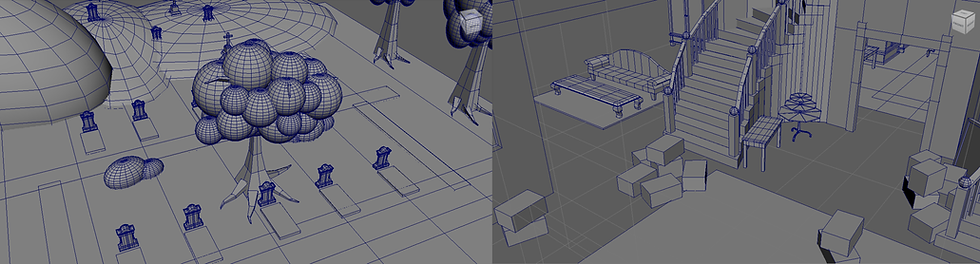
Proxy Modeling by Tham Bing Ni & Mah Qi Wei
After having the 2D animatic, we want to do a proxy modeling for our environment, so that it can be easier for us to check the perspective and camera movement. Our groupmate model out a simple form of the environments, following the design sheet by our concept artist. After the first stage, we let the lecturers to check on the model, they reviewed it and we take note on the things to modify, like the model size and placement.
Testing Camera
After we done adjusting our proxy model, we tested out a few shots for the camera, following the storyboard. I put the shots into camera sequencer in Maya, then playblast it out, and have a quick check. Some advice are also given by lecturer to adjust a few shots, so that our camera movement will be more interesting and not too stiff.

Camera Shot by Ang Li Lin
Challenges Faced
During our camera test, there are some problems with the Maya camera sequencer, that sometimes it may not come out the way we want, and we encounter bugs.
Solution
We decided to playblast out the shots one by one instead of using camera sequencer for all together, so that it is safer.
What's Next?
With the 3D proxy modeling done, we can now put it in our 2D animatic.